DuckyLuck Casino in Your Pocket
We built DuckyLuck Casino to work properly on your phone, so you can spin Gates of Olympus or grab a seat at an Evolution table without going near a laptop. Log in, top up with Bitcoin or Visa, and you're playing.

DuckyLuck Casino on Your Phone
What the mobile version gives you and what to check before you tap in.
Most people open DuckyLuck Casino on a phone, not a laptop. This page covers what the mobile version actually does, where it saves you time and where it's worth slowing down for a second.
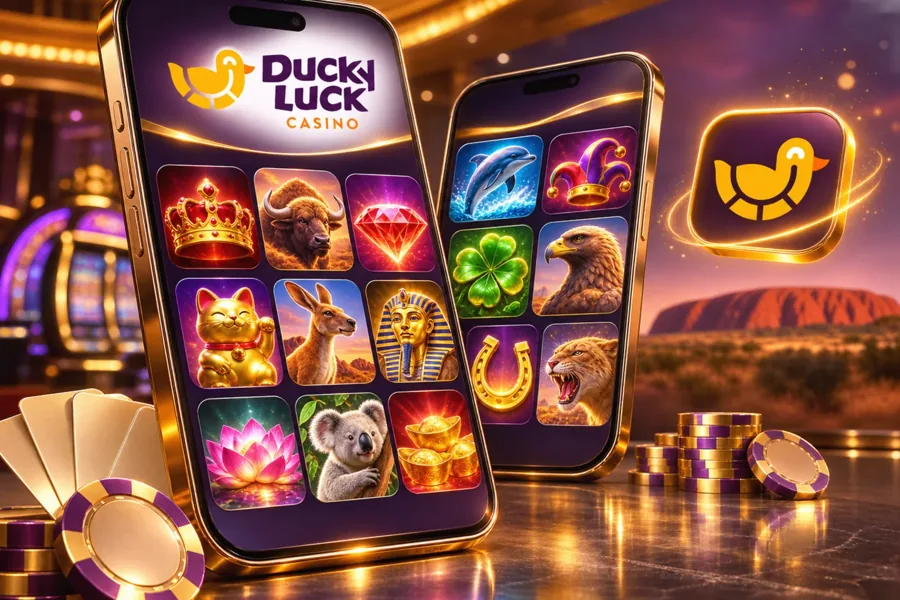
The game lobby is the same one you get on desktop. Slots like Gates of Olympus, Book of Dead and Starburst sit next to live tables from Evolution, and titles from Pragmatic Play, NetEnt and Push Gaming load in portrait or landscape. You don't get a cut-down version of the lobby. You get the same catalogue on a smaller screen.
Money is the part you'll want sorted early. The cashier lists 8 payment methods, and 5 of them are cryptocurrencies, including Bitcoin, Tether and Litecoin. If you'd rather use cards, Visa and Mastercard are there too. The minimum deposit is $25, or A$30 if you pay with crypto.
New players can go for the welcome offer of 500% plus 150 free spins. The bonus carries 30x wagering and is valid for 30 days, and the free spins last 7 days. If something goes wrong mid-session, our casino's live chat and email support both work on mobile, so you don't have to wait until you're back at a desk.
Mobile Site vs App: Which One Should You Use?
Same account, same games, same cashier. The difference is how you get in.
Here's the short version. The mobile site and the app run on the same DuckyLuck Casino account, so your balance, bonus progress and history follow you wherever you log in. You won't lose anything by switching.
The mobile site needs nothing installed. Open your browser, log in and you're spinning Gates of Olympus in under a minute. It's handy on a work phone or a device that's low on storage.
The app suits you better if you play most days. You tap one icon and you're in, with no hunting for a bookmark or retyping the address. Live tables from Evolution feel the same either way, so let your habits decide, not the game list.
Payments don't change. All 8 methods, including 5 cryptocurrencies like Bitcoin and Tether, sit in the same cashier on both versions.
| Feature | Mobile site | App |
|---|---|---|
| Installation | None, runs in your browser | One-time install on your device |
| Getting in | Type the address or use a bookmark | Tap the home screen icon |
| Storage used | Browser cache only | Takes some space on your phone |
| Games | Full library, including Book of Dead and Starburst | Same full library |
| Account and balance | Shared with the app | Shared with the mobile site |
| Banking | 8 methods, 5 of them crypto | Same 8 methods |
| Support | Email and live chat | Email and live chat |
| Best for | Casual sessions, shared or work devices | Regular players who want one-tap access |
DuckyLuck Casino Android Download
Get DuckyLuck on your Android phone in a couple of minutes, no fuss.
Most people play on their phones now, so the Android setup needs to be quick. It is. You don't go hunting through random third-party download sites. Open the official DuckyLuck Casino site in Chrome and put it on your home screen. That way you always run the current version and skip any dodgy files.
Once it's on your home screen, it opens full screen like any other app. Your slots are there, including Gates of Olympus and Book of Dead, and so are the Evolution live tables. You can use the cashier too, with 8 payment methods to pick from, Bitcoin and Visa among them.
Keep your Android software up to date and keep some free storage. Game assets load as you play, so an older phone with a full memory will lag before the casino does. Wi-Fi helps on live dealer streams, but a decent 4G or 5G signal handles slots fine.
If something won't load, our casino's live chat is the quickest fix. You can also email [email protected] .
Open the official site
Launch Chrome on your Android device and go to the DuckyLuck Casino website. Type the address yourself, don't trust a link someone sent you.
Add it to your home screen
Tap the three-dot menu in the top corner, then pick 'Add to Home screen' or 'Install app', depending on your Chrome version.
Confirm the shortcut
Name the icon if you want to, tap Add, and the DuckyLuck icon shows up next to your other apps.
Log in or sign up
Open the icon and sign in, or register a new account to claim the welcome offer of up to 500% plus 150 free spins.
Installing DuckyLuck Casino on iOS
Put the casino on your iPhone home screen in under a minute, straight from Safari.
There's no App Store download to hunt for. On iPhone and iPad, DuckyLuck Casino runs as a web app that you pin to your home screen through Safari. It opens full screen, loads fast and skips the browser tabs, so it feels like a proper app without eating your storage.
It also updates itself. New slots like Gates of Olympus or fresh Evolution live tables show up the moment we add them, with no update prompts and no waiting on approvals. Your login, balance and cashier stay the same as on desktop, so you can deposit with Bitcoin or Visa on your laptop and keep spinning on your phone.
One tip before you start: use Safari. Other iOS browsers don't always show the home screen option.
Open Safari
Go to the DuckyLuck Casino site in Safari on your iPhone or iPad.
Tap the Share icon
Hit the square with the arrow pointing up, at the bottom of the screen.
Choose Add to Home Screen
Scroll down the share menu, tap Add to Home Screen, then tap Add in the top corner.
Launch and log in
Tap the new DuckyLuck icon, sign in or register, and you're set to play.
Everything the DuckyLuck App Can Do
The full casino in your pocket, without needing a desktop.
Full slots lobby
You get the same lobby as on desktop. Gates of Olympus, Book of Dead and Starburst load fast on mobile data, and you can switch between spins and the menu with your thumb.
Live dealer tables
Evolution streams its live tables straight to your phone. Turn it sideways for a bigger view of the dealer, or keep it upright to see the betting panel and chat.
Sports and poker
The sportsbook and poker room sit in the same app as the casino. You don't need a second download or a second login. Check your bets, then go back to the reels.
Mobile cashier
All 8 payment methods are in the app, including 5 cryptocurrencies like Bitcoin and Tether, plus Visa and Mastercard. Limits are $25 / A$4,000 for cards and A$30 / A$10,000 for crypto.
Welcome offer access
You can claim the 500% bonus and 150 free spins on your phone. Wagering is 30x and the bonus is valid for 30 days.
Support on the go
Our casino's live chat opens inside the app, so you keep your place in the game. For anything that needs a paper trail, use email.
First Deposit Bonus on the App
What the 500% match and 150 free spins mean when you deposit from your phone.
The first deposit bonus at DuckyLuck Casino is a 500% match plus 150 free spins. You get the same offer whether you sign up on the mobile site or on a desktop. Nothing extra is hidden behind the app, and nothing is taken away for using your phone.
Here's how it works. Register, open the cashier and make your first deposit in AUD or crypto. The match is worked out from that deposit, so the amount you put in decides how big the bonus balance gets. Bitcoin, Tether and Visa all work from the mobile cashier, so you don't need to switch devices halfway through.
The free spins go on slots. Games like Gates of Olympus and Book of Dead are usually where you'll want to spend bonus funds, because they load fast and run fine on a small screen. Check which titles the spins are tied to before you start tapping.
Wagering is 30x, the bonus is valid for 30 days and the free spins for 7 days. Terms can change, so don't trust a screenshot a mate sent you last month.
- 500% match on your first deposit
- 150 free spins on selected slots
- Same offer on mobile and desktop
You don't get a separate bonus for adding the app to your home screen. The welcome offer comes with your first deposit, not with the install. Add the shortcut if you like it, then claim the bonus from the cashier as usual.
DuckyLuck App FAQ
Short answers to what players ask before they play on mobile.
What is DuckyLuck Casino?
It's an online casino with slots, live dealer tables and poker. It also has a betting section. You can play it all from your phone's browser, with games from Evolution, Pragmatic Play, NetEnt and Push Gaming.
Is DuckyLuck legit?
DuckyLuck runs under a Curacao eGaming licence, number 8048/JAZ2020-013.
How can I check that an online casino is legit?
Check the licence, the operator details and the terms of the bonuses. DuckyLuck holds a Curacao eGaming licence, 8048/JAZ2020-013.
What is the welcome offer on mobile?
New players can get a 500% bonus up to $2,500 plus 150 free spins. The terms are the same on the app and on desktop.
What is a casino bonus code?
A bonus code is a short code you enter to claim an offer. The welcome offer is 500% up to $2,500 + 150 free spins with 30x wagering, valid for 30 days.
Why can't I withdraw my bonus straight away?
Bonus funds come with 30x wagering. You have to meet that first, and until then the bonus balance stays locked.
How do I verify my account?
You may be asked for ID and proof of address when you sign up, before some deposits, or when you request a withdrawal. Upload clear photos from your phone to speed things up.
Which payment methods work in the app?
Crypto withdrawals take up to four business days, e-wallets within 24 hours and cards 1-3 business days. The minimum deposit is $25 and deposits are instant. You can use Bitcoin, Tether, Litecoin, Ethereum, Dogecoin, Visa, Mastercard and Neteller.
Which games are popular on mobile?
Gates of Olympus, Book of Dead and Starburst all run well on small screens. The live tables from Evolution are good on phones too.
How do I contact support?
Our casino offers live chat 24/7, email at [email protected] and Telegram @duckyluck_support. Live chat is the quickest way to get help from your phone.